Floowpay
Designing a simpler e-Invoicing experience for Malaysian businesses.
Overview
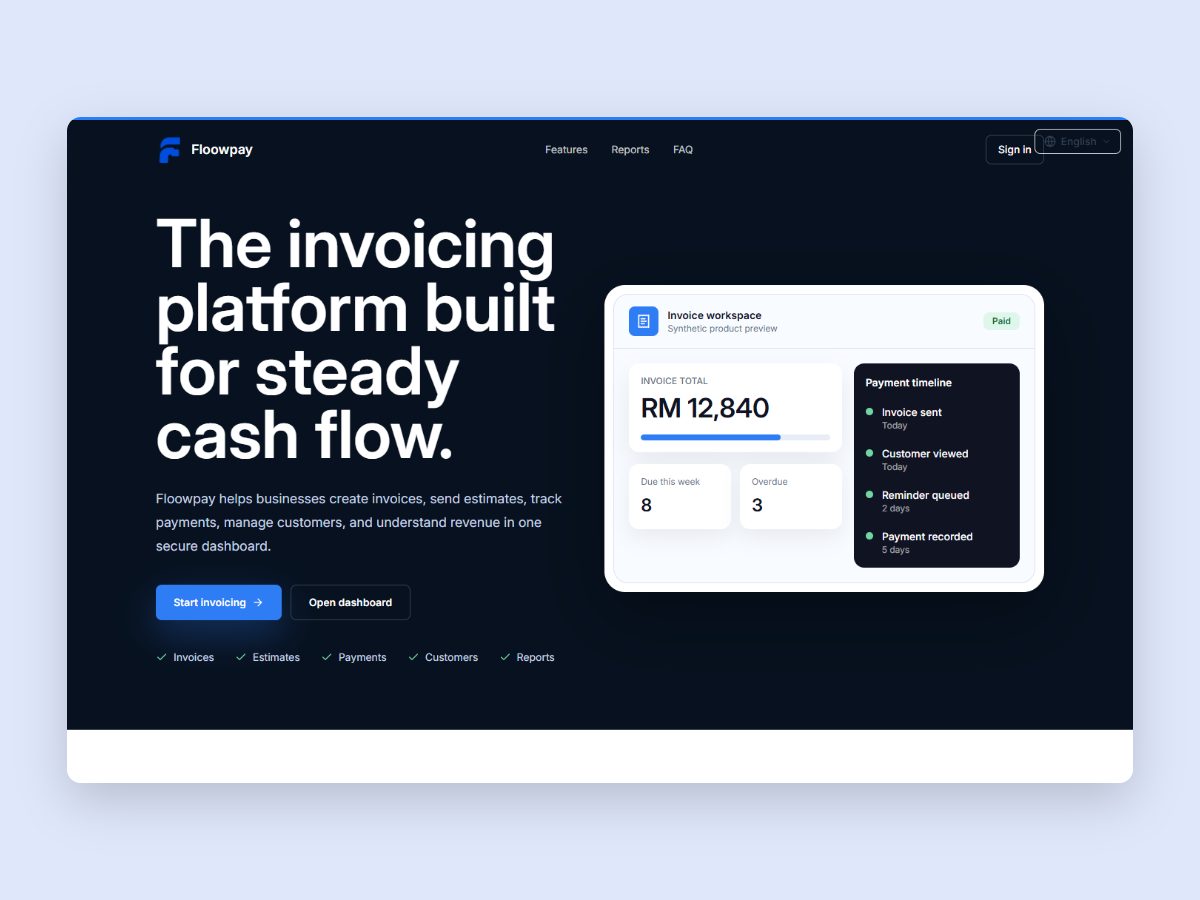
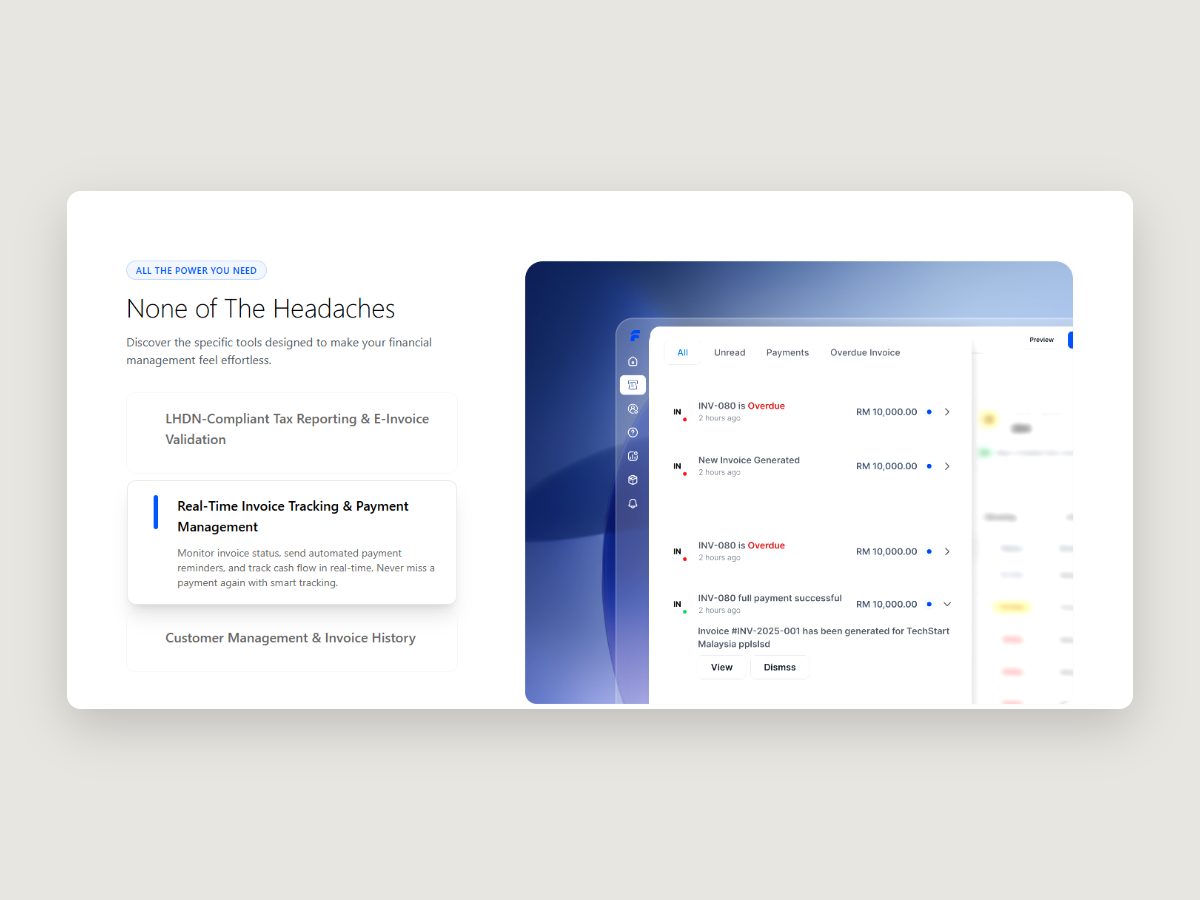
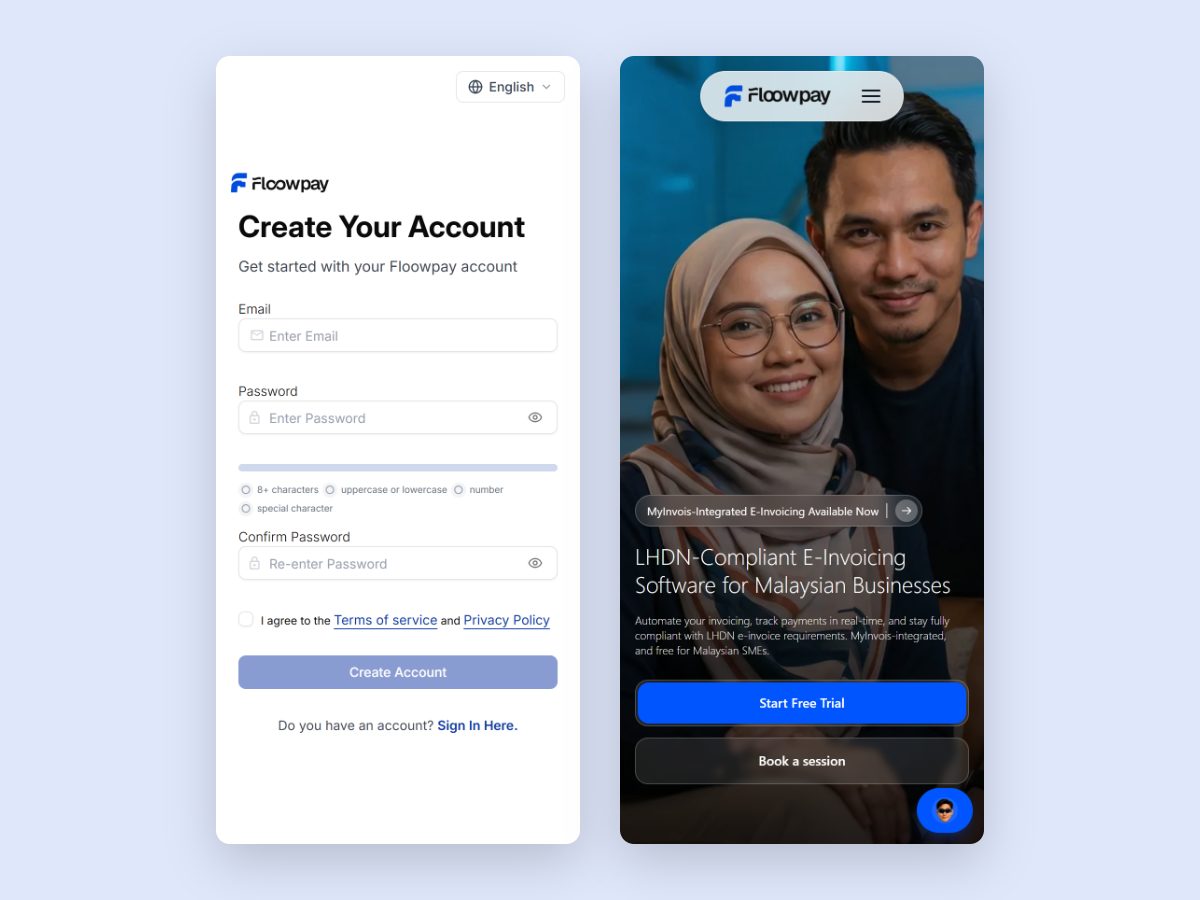
Floowpay is a web-based financial operations and e-Invoicing platform for Malaysian businesses. It brings customers, products and services, invoices, estimates, payment visibility and MyInvois-related workflows together in one place.
As a product designer, I was responsible for simplifying the experience, structuring the main user journeys and designing the interface. I also used Lovable to turn the design direction into a working prototype, which allowed us to review and refine the product in context.
Problem
Malaysia’s e-Invoicing rollout added a new layer of complexity to everyday invoicing. Businesses still had to manage customers, products and services, invoices and payment follow-up, and they now also had to meet structured MyInvois requirements.
How might we make invoicing and e-Invoicing feel clear and approachable, without expecting people to understand the technical side of the system?
Our review showed that the friction was concentrated in five key areas:
- Customer setup: Malaysian and foreign customers, and businesses and individuals, each need different information, which made a single form confusing.
- Product and service setup: every item has to be set up with the right details before it can be added to an invoice.
- Invoice creation and review: an invoice has to be correct before it moves on, so users need a clear way to check it.
- MyInvois-related information: e-Invoicing adds structured fields that many business owners have not dealt with before.
- Invoice status and payment visibility: users need to see at a glance what has been paid, what is due and what is overdue.
Research
Firstly, we wanted to understand how businesses in Malaysia are actually run. We spoke with Malaysian business owners about how they manage their customers, invoices and payments day to day, and the team also spoke with Floowpay’s founders to understand the goals behind the product.
Alongside these conversations, I reviewed the Malaysian invoicing and e-Invoicing context, and studied how existing products handle customer setup, invoice creation, business and document settings, and structured financial information.
The key insight: people should be able to focus on finishing the task, not on understanding the system behind it.
This insight informed the principles that shaped the product:
- ask only for relevant information
- design clearer forms
- connect the workflows
- keep status visible
- use simpler language
- reveal complexity only when it is needed
User flows
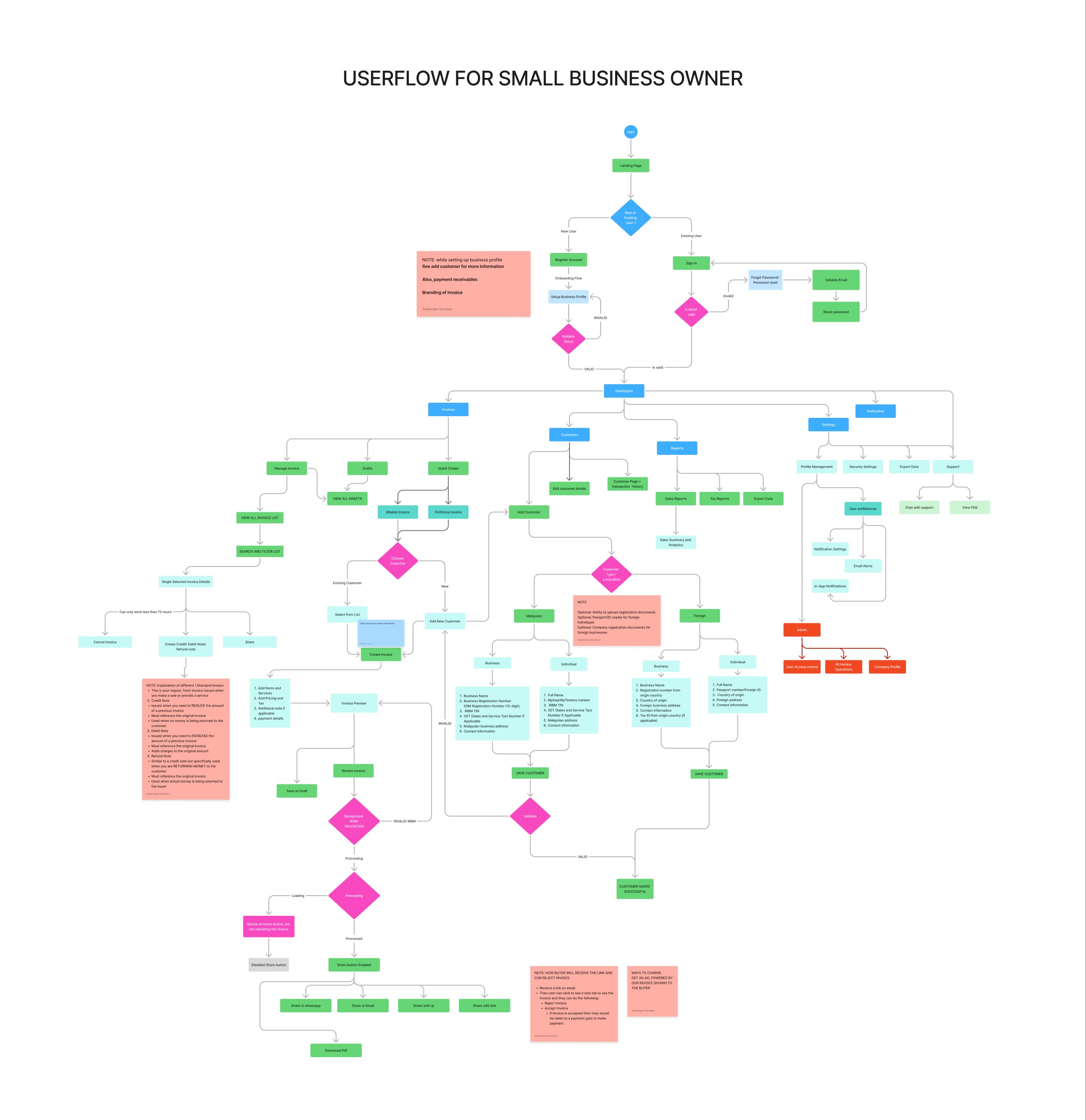
The business is set up first.
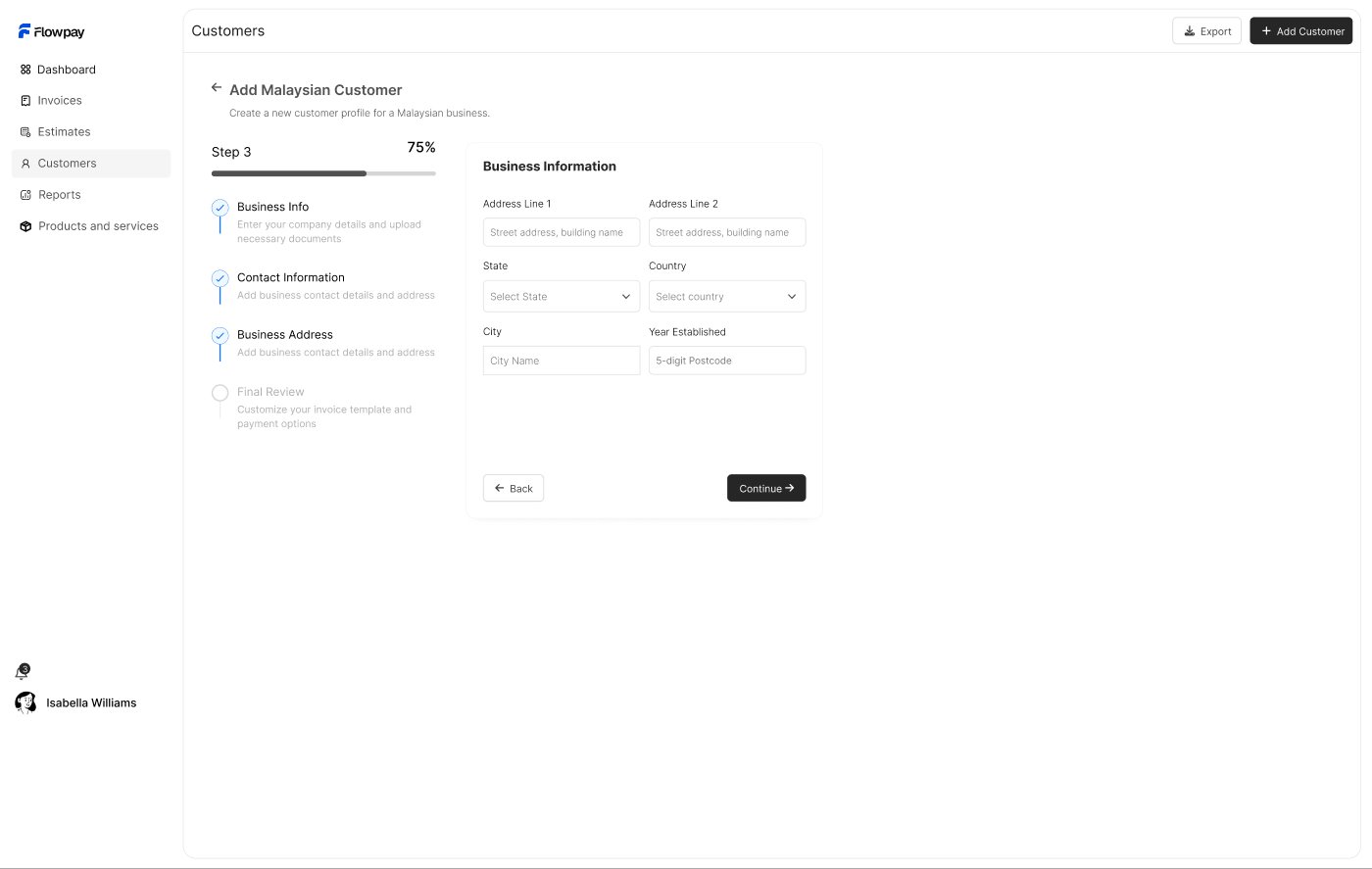
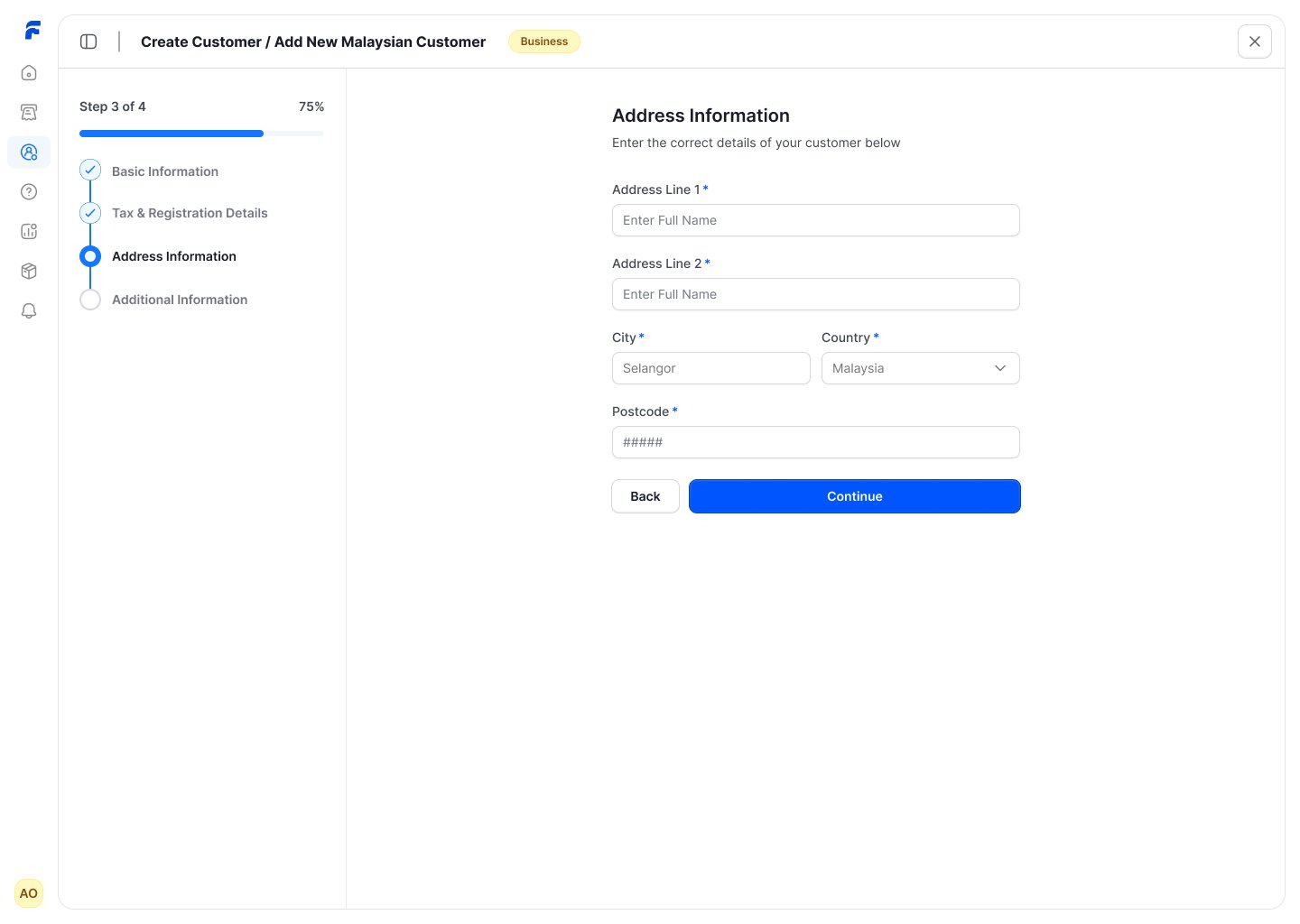
Each customer type sees only the fields that apply to it.
Items are set up once and added to invoices.
Built from the customer and the items, as one connected journey.
The invoice is checked clearly before moving on.
The information it needs, without unnecessary technical detail.
Invoice and payment status are easy to read afterwards.
How I built it
- Understood the requirements. I began by understanding the business needs and what e-Invoicing requires of each invoice.
- Mapped the main user journeys. This showed how people move from setting up their business to getting paid.
- Structured the information architecture. I organised the product so that related tasks sit together and are easy to find.
- Designed the core flows. These covered customers, products and services, invoices and onboarding.
- Simplified forms and status messages. Every field and message was reviewed to ensure it was necessary and easy to understand.
- Made patterns consistent across the product, so that each new screen felt familiar.
- Built a working prototype in Lovable. Once the Figma designs were complete, I turned them into a working prototype in Lovable that behaved like the real product.
- Reviewed it in context. Using the prototype, we refined the interactions and the responsive behaviour.
- Worked alongside the developers. The code from the Lovable prototype went into the product, and I worked alongside the developers as it was built.
Key decisions
- Conditional customer forms. Each customer type is shown only the information relevant to it, which removes unnecessary fields and reduces confusion.
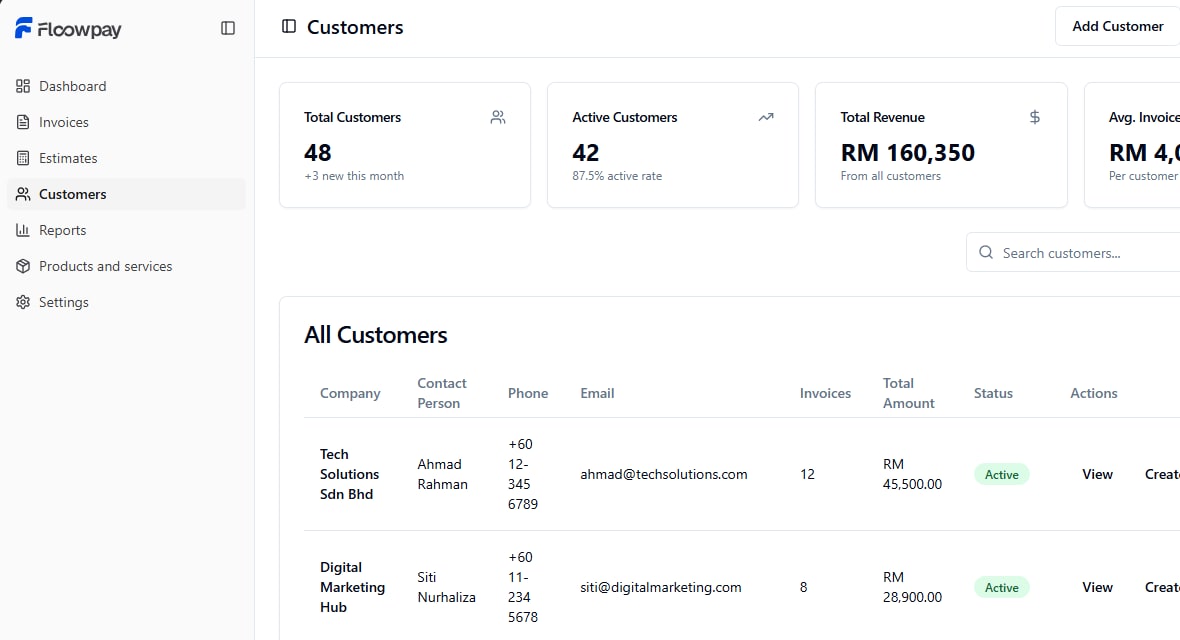
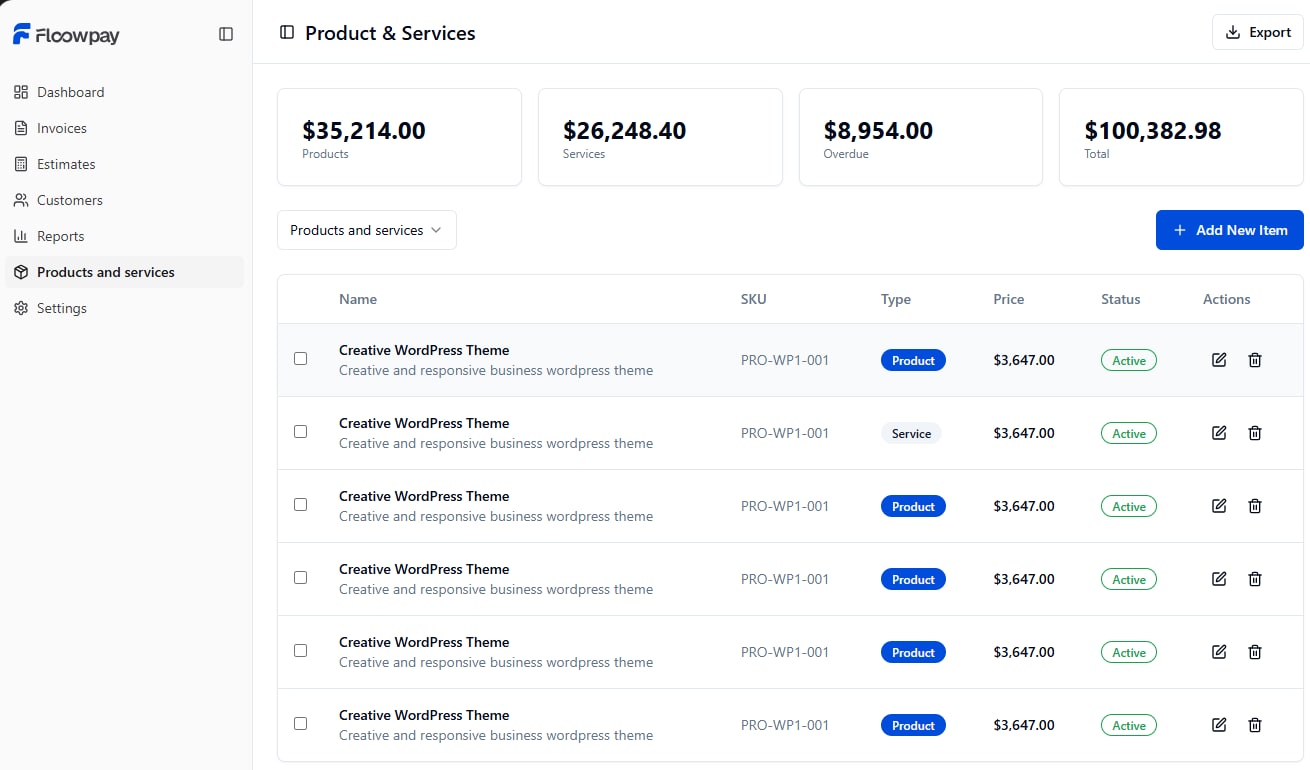
- One connected workflow. Customers, products and services, and invoices work together as one journey rather than as separate tools. For example, an invoice can be started directly from a customer’s record.
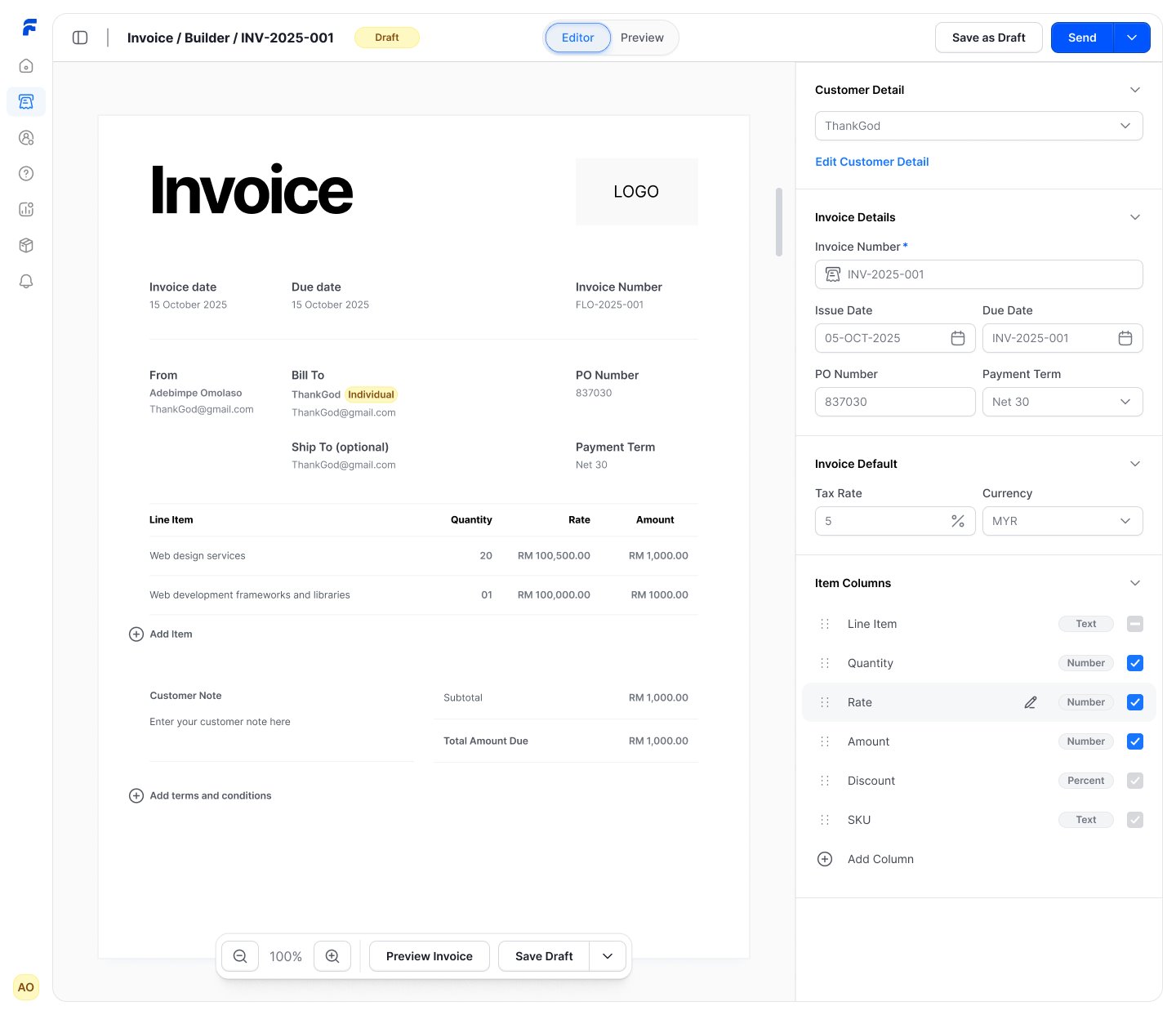
- Clear invoice review. Users can review the invoice exactly as it will appear before moving on to the MyInvois-related steps.
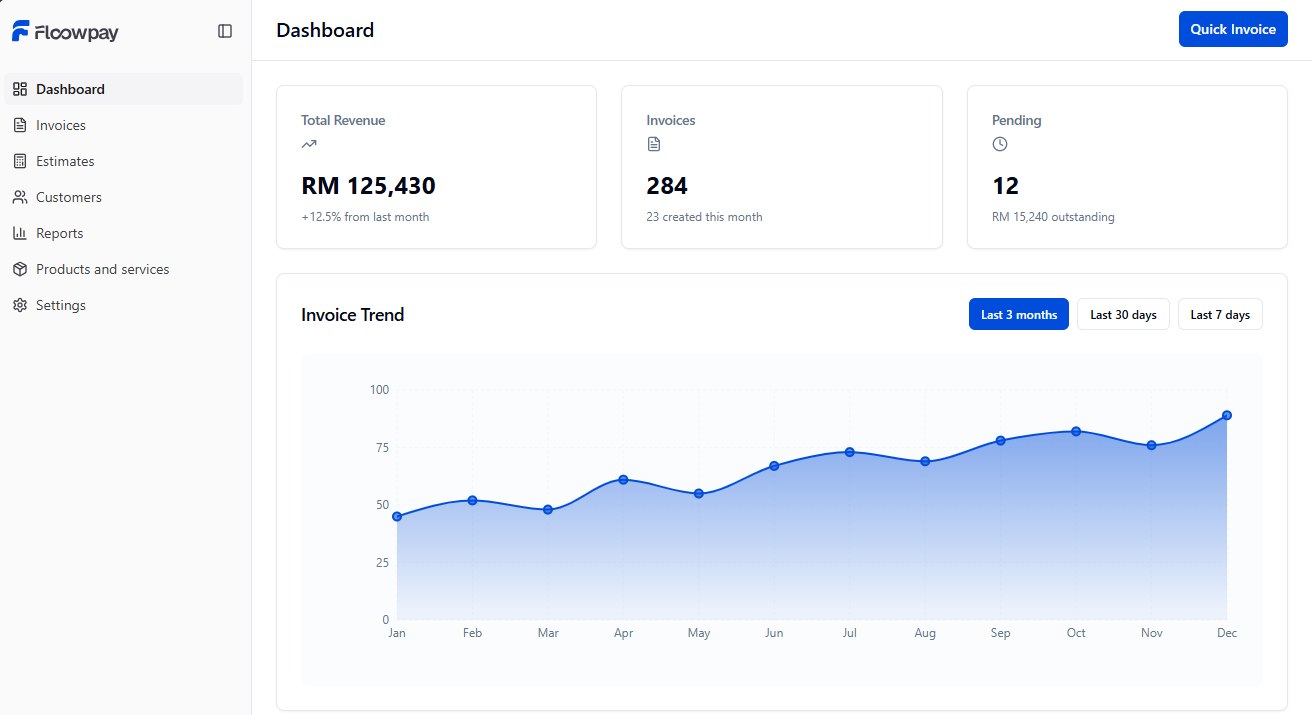
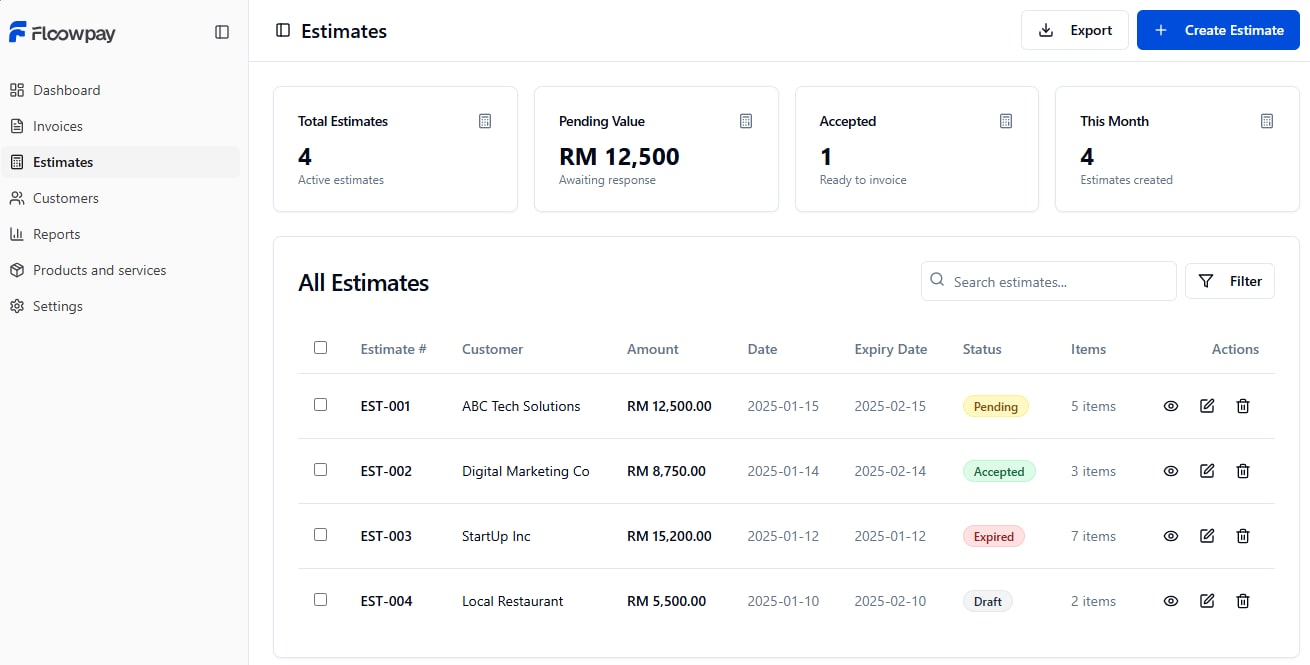
- Better status visibility. Once an invoice or estimate has been created, its status can be understood at a glance.
- Simplified technical complexity. Users enter and review the information that MyInvois-related workflows require, without being exposed to unnecessary technical detail.
Solution
Our solution was one connected product that supports the core business workflow from start to finish. It was designed for:
- clarity, with complexity revealed only when it is needed
- consistent forms
- a stronger visual hierarchy
- responsive layouts
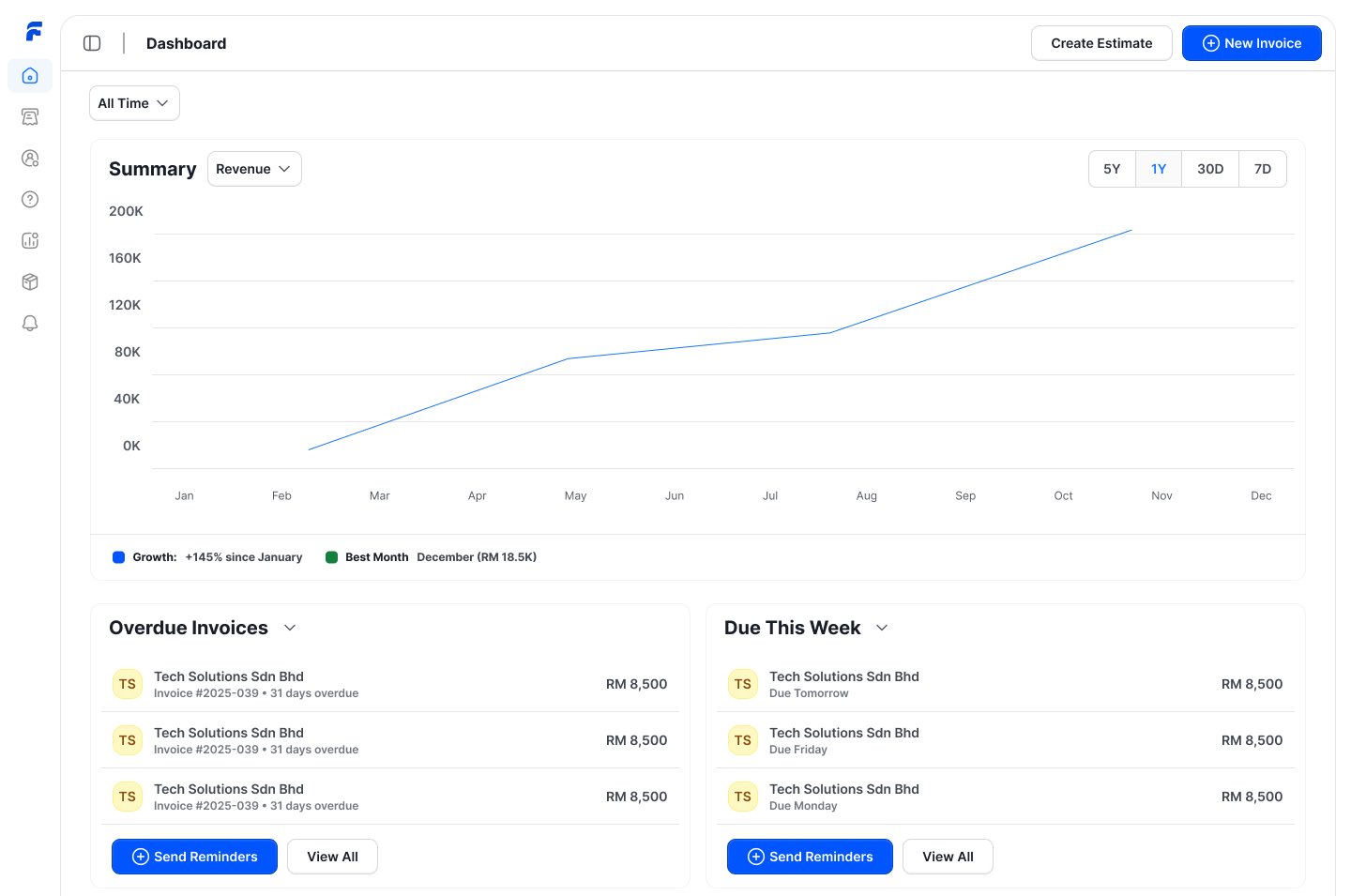
- clearer invoice status and payment visibility
- simpler MyInvois-related workflows
Outcome
Floowpay moved from design into a live, early-stage product, built from the Lovable prototype together with the developers. It is now used for demos, onboarding and outreach with Malaysian businesses. The following features shipped:
- customer management
- products and services
- invoice creation
- estimates
- payment visibility
- MyInvois-related workflows
- responsive web use
Testing after launch. Once the product was live, we tested it with Malaysian businesses. This revealed two important insights. Firstly, most Malaysian businesses run their day-to-day buying and selling on WhatsApp. Secondly, even after onboarding, many business owners did not have the time to use a separate product.
The next phase. This feedback was where the idea for the next phase of Floowpay came from: building our own AI assistant inside WhatsApp, where business owners already buy and sell, so that they can create their invoices without leaving the conversation. The assistant is still in development and is not yet live.
What I’d do next
- test the WhatsApp assistant with Malaysian business owners before it launches
- measure where people drop off during onboarding
- refine the MyInvois setup experience
- improve the invoice correction and adjustment flows
- improve accessibility
- strengthen product analytics
- expand the design system
What I learned
Meet users where they already work. Testing after launch showed that a well-designed product is not enough if it asks people to change how they run their business. Malaysian business owners already work on WhatsApp, so the next step was to bring Floowpay to them, rather than asking them to come to Floowpay.
Simplicity comes from sequencing, not removal. E-Invoicing has requirements that cannot be skipped, so the goal was never to ask for less. It was to ask at the right moment. Showing each customer type only the fields that apply to it taught me that a complex process can still feel simple when every step is relevant and clearly explained.
Friction often sits between screens. Designing customers, products and services, and invoices as one journey showed me that much of the effort in invoicing comes from moving between tasks, not from any single form. When each step builds on the one before it, the next task becomes easier to start and to complete.
A working prototype shows what static screens cannot. Building the design direction in Lovable allowed us to review interactions and responsive layouts in context. This revealed details that static designs do not show, and informed how we refined the experience.